Why Your Food Business Needs Gift Cards: A Complete Guide

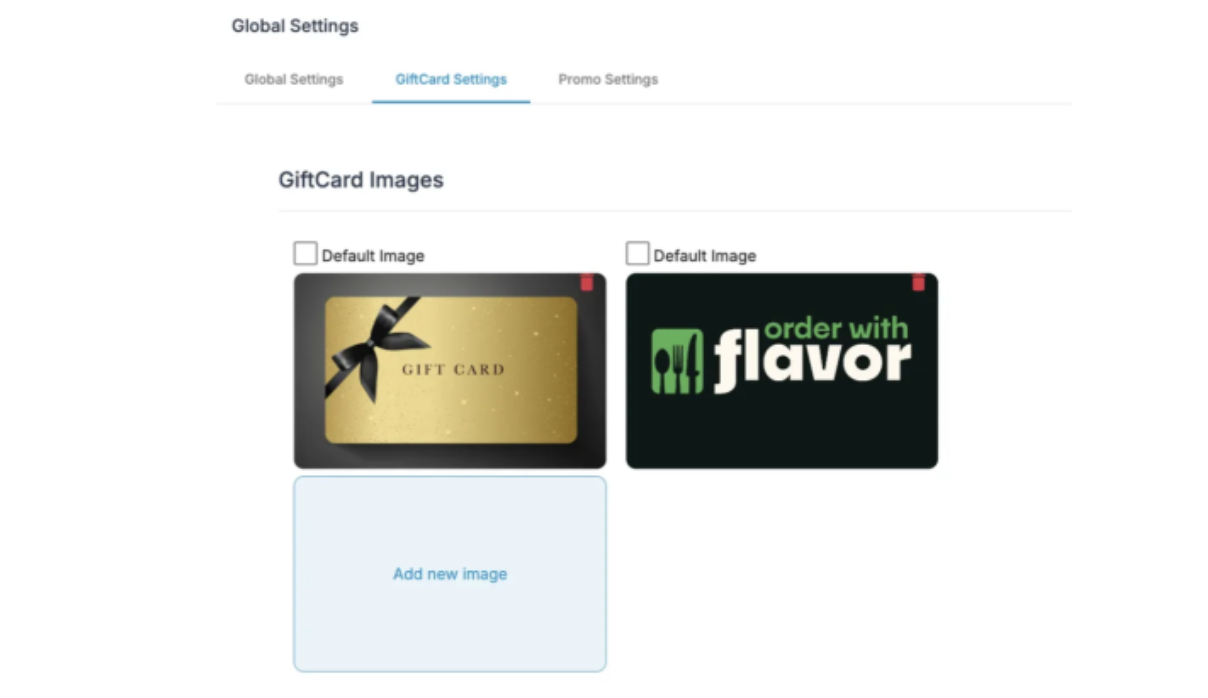
In today's competitive food and beverage industry, merchants need every advantage to attract customers and boost revenue. One of the most powerful yet underutilized tools? Gift cards. Whether you operate a bustling food truck, manage a kiosk, or run a brick-and-mortar restaurant, gift cards can transform your business—and platforms like Order With Flavor and City Flavor make implementation seamless.
The Business Case for Gift Cards
Gift cards aren't just convenient for customers; they're a strategic asset for merchants. Here's why:
Immediate Cash Flow
When customers purchase gift cards, you receive payment upfront—before any product or service is delivered. This improves cash flow and provides working capital to reinvest in your business.
Customer Acquisition and Retention
Gift cards bring new customers through your door. Recipients who've never tried your menu before become first-time customers, and studies show that gift card users typically spend more than the card's value, increasing transaction sizes.
Marketing That Pays for Itself
Unlike traditional advertising, gift cards generate revenue while spreading brand awareness. Each gift card is a mini-billboard that introduces your business to potential customers, all while money is already in your account.
Reduced No-Show Risk
For businesses that take advance orders or reservations, gift cards create commitment. Customers who've invested in your gift card are far more likely to follow through with their purchase.
Year-Round Revenue Boosts
While holidays drive significant gift card sales, savvy merchants promote them year-round for birthdays, corporate gifts, customer appreciation, and special occasions. This creates consistent supplemental revenue streams.
How Order With Flavor Makes Gift Cards Simple
Order With Flavor has designed their gift card system with food trucks and kiosks specifically in mind, understanding the unique challenges of mobile and quick-service vendors.
Universal Accessibility Across All Channels
The standout feature? Gift cards work seamlessly across every ordering platform:
- Online ordering through your website
- Mobile app orders on-the-go
- Kiosk transactions for self-service locations
Customers simply enter their gift card number at checkout, and the system automatically applies the available balance to their order total. No complicated processes, no training required.
Quick Setup for Merchants
Getting started takes just minutes:
1. Navigate to your Order With Flavor Dashboard
2. Go to Store Settings → Gift Cards
3. Toggle on "Enable Gift Cards"
That's it. The gift card field automatically appears at checkout for online and mobile orders. For kiosk setups, there's one additional step: go to Kiosk Store Settings → Order Configuration → Additional Payment Fields, check "Gift Card," and update.
Customer-Friendly Balance Display
Order With Flavor recently enhanced their system with a balance display feature that improves the customer experience:
- Saved gift cards appear in the customer's account under the Gift Cards section
- Each card shows its current balance next to the card number
- Zero-balance cards are automatically hidden to reduce clutter
- A convenient clipboard icon allows customers to copy and paste gift card codes directly into checkout
This transparency builds trust and encourages customers to use their full gift card balance.
Flexible Delivery Options
For merchants offering delivery services, Order With Flavor's system handles gift cards intelligently:
- Gift cards apply to Seller Powered Delivery orders, where you handle fulfillment directly
- The system clearly displays when gift cards can be used based on the selected fulfillment method
- This flexibility allows merchants to maintain control over their gift card programs while offering multiple service options
Supercharge Sales with Gift Card Giveback Promotions
Order With Flavor takes gift cards to the next level with built-in promotional capabilities that drive sales and create customer excitement. The Gift Card Giveback feature lets you offer bonus value that incentivizes larger purchases.
How Gift Card Promos Work
You set the rules, and the platform handles everything automatically. Here's a powerful example:
- Customer buys a $50 gift card → receives a $60 gift card
- Customer buys a $100 gift card → receives a $125 gift card
You determine both the purchase amounts and the bonus amounts, creating promotions that fit your business goals and margins.
Why Giveback Promotions Are Game-Changers
Increases Average Transaction Size: Customers gravitate toward higher-value purchases when they see bonus incentives. A customer considering a $25 card might jump to $50 when they see the extra value.
Creates Urgency: Time-limited promos drive immediate action. Run them during slow periods to smooth out revenue fluctuations.
Instant, Automated Delivery: No manual work required. Gift cards are automatically delivered to recipients via email, text, or available for pickup—the system handles distribution seamlessly.
Flexible Denominations: Offer multiple amount options to fit any budget or occasion, from small thank-you gifts to corporate bulk orders.
Enhanced Customer Convenience: Recipients can redeem from their mobile device at checkout with zero friction. Customers can save multiple gift cards in their account, view all balances in one place, and even enable auto-reload for their favorite regular purchases.
Strategic Promo Ideas for Food Vendors
Holiday Rushes: "Buy $100, get $125" during November/December capitalizes on gift-giving season.
Slow Season Boosts: Offer aggressive bonuses during typically slow months to generate cash flow and build customer credit for busier times.
Grand Opening or New Location: "Buy $50, get $65" creates buzz and gets money in the door before you've served a single customer.
Customer Appreciation: Surprise loyal customers with bonus promotions as a thank-you, building long-term relationships.
Corporate Partnerships: Offer special bulk purchase incentives for businesses buying employee gifts or client appreciation packages.
Best Practices for Food Truck and Kiosk Vendors
To maximize your gift card program's success:
Promote Actively: Display gift card availability on your menu boards, social media, and at point of sale. Highlight any current giveback promotions prominently—"Buy $50, Get $60!" is a compelling call to action.
Use Time-Limited Promos: Create urgency with limited-time bonuses that drive immediate purchases rather than "I'll think about it" responses.
Make Them Giftable: Ensure your gift cards are visually appealing and easy to give. The instant digital delivery via email or text makes last-minute gifting effortless for customers.
Train Your Staff: Make sure your team can quickly explain how gift cards and current promotions work, and assist customers with any questions during checkout.
Track and Analyze: Use your Order With Flavor dashboard to monitor gift card sales and redemption patterns. Track which promo amounts drive the most sales to optimize future campaigns.
The City Flavor Advantage
For vendors participating in the City Flavor network, gift cards become even more powerful. The platform's integration with Order With Flavor means customers can discover your business through the City Flavor marketplace and immediately purchase or redeem gift cards—expanding your reach beyond your regular customer base.
The gift card code system works identically whether customers find you through City Flavor or directly through your own ordering channels, creating a consistent, reliable experience that builds customer confidence.
The Bottom Line
In an industry where customer loyalty and cash flow are paramount, gift cards are no longer optional—they're essential. The Order With Flavor platform removes the technical barriers that once made gift card programs complicated, offering food trucks and kiosk vendors an enterprise-level solution with small-business simplicity.
By enabling gift cards across all your ordering channels—online, mobile, and kiosk—you're not just offering a payment option. You're creating a customer acquisition tool, a revenue generator, and a brand ambassador program all rolled into one.
Ready to boost your business? Log into your Order With Flavor Dashboard and enable gift cards today. Your future customers (and your bottom line) will thank you.
For detailed setup instructions and advanced features, visit the Order With Flavor Gift Cards documentation or explore Merchant Settings.


